


![[pdf]](icons/pdf.png)
|
|
|
|
| Hypercube viewer | |
|
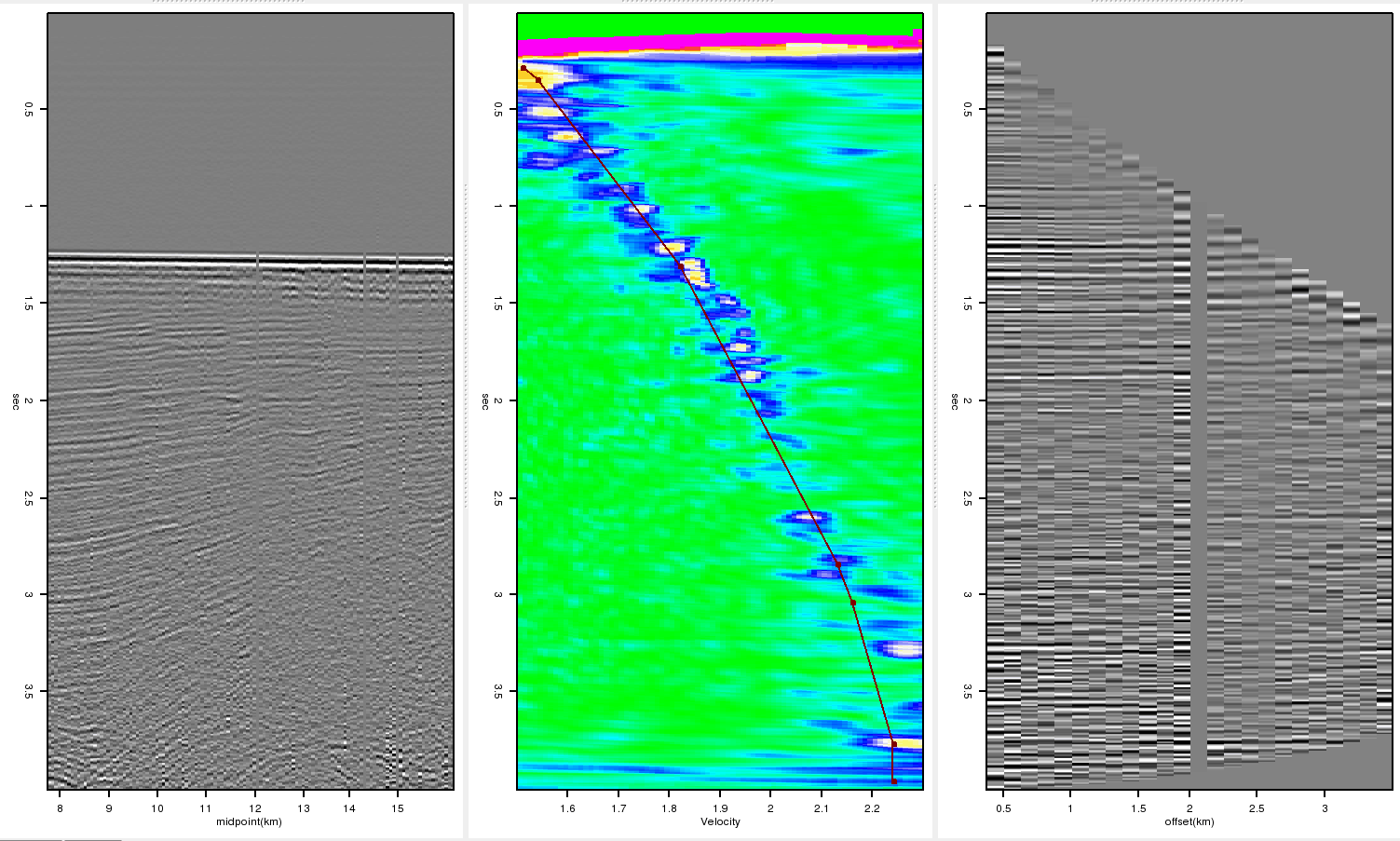
The nmo_semblance object is initialized with the data object associated with the pre-stack gathers. The nmo_semblance object takes advantage of the fake axis concept mentioned above. Instead of having an offset axis, a sixth axis, velocity, was added to the dataset. The data is generated from the CMP gather so the read_h_data does not perform any action. Finally, the get_h_data is modified. When initialized, every time the position changes the nmo_semblance object grabs the current CMP gather. It performs semblance on the gather and returns the resulting field. The center panel of Figure 6 shows the semblance calculated at the given CMP location.
The nmoed object is initialized with the both the pre-stack data and the nmo_semblance objects. Like the nmo_semblance object, it does not use the read_h_data function. The get_h_data function is also modified. The current CMP gather is grabbed from the data object, and the RMS picks closest to the current CMP are taken from the nmo_semblance object. The picks are then used to form a RMS velocity function and the CMP gather is NMOed with this function. The result is shown in the right panel of Figure 6. Picking is only allowed on the nmo_semblance object, and navigation is only allowed on the data object.
|
|---|
|
semb
Figure 6. A typical semblance analysis display. The left panel show a depth-midpoint section. The center panel show the semblance at the given CMP overlain by the user selected  function. The right panel is the result
of NMO using the selected RMS function.[NR] function. The right panel is the result
of NMO using the selected RMS function.[NR]
|
|
|
|
|
|
|
| Hypercube viewer | |
|